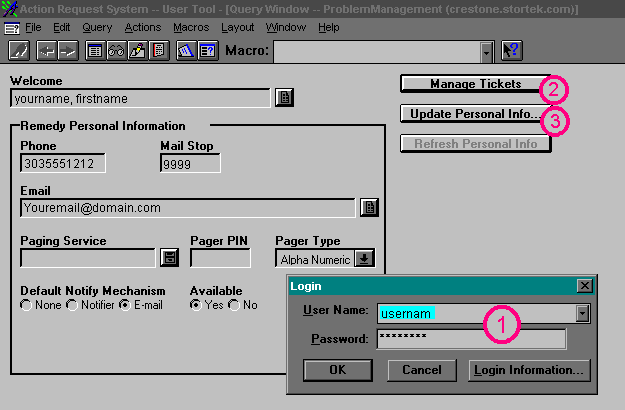
| Under the Manage Tickets button is an Update
Personal Info button. This area will allow you to change your user preferences
including your password. Make sure to note what your password is if you
change it. |
Next
Back
Click
to return to the Main Menu.
|
 |
Jump Right to the Login Screen
Jump Right to the Create New Ticket Screen
Jump Right to the Button Descriptions
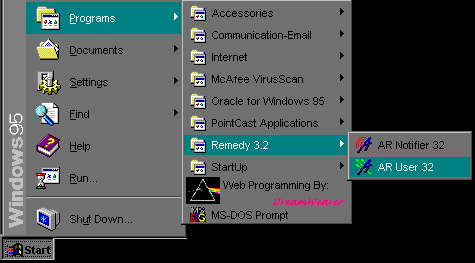
When you first log in, the screen will look similar to this:
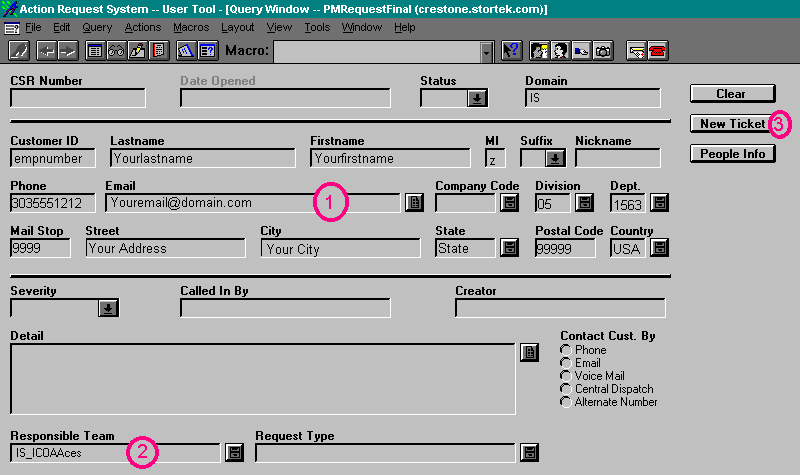
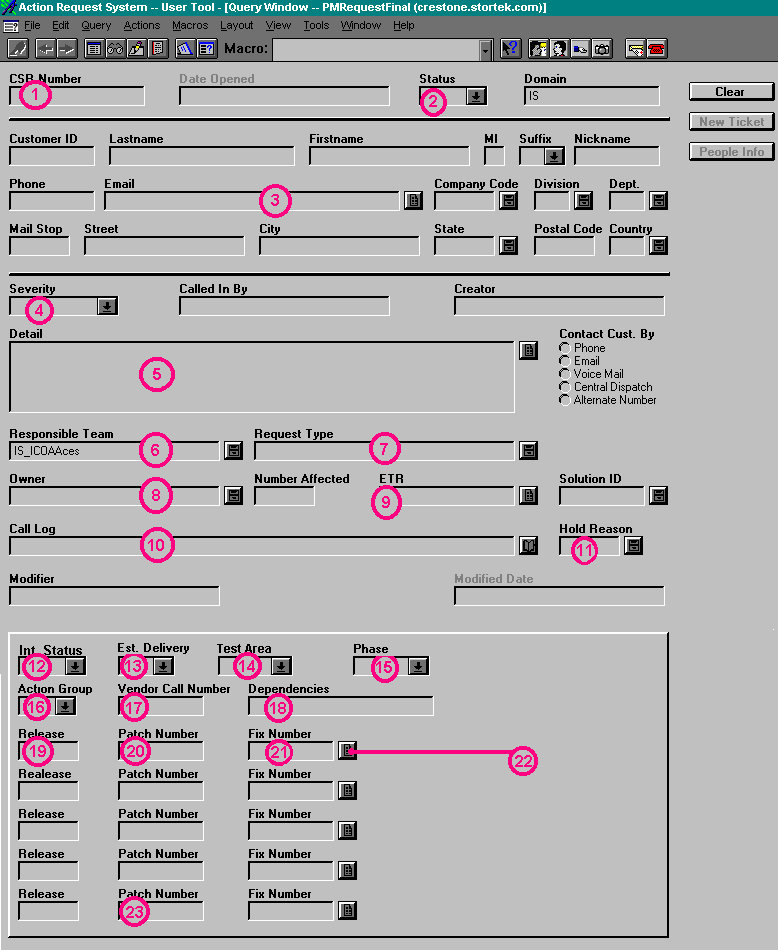
For the Screens Below, click on the buttons or areas to get a
detailed description in the left side of the screen.
 Jump back to the top
 Jump back to the top
 Jump back to the top
 |