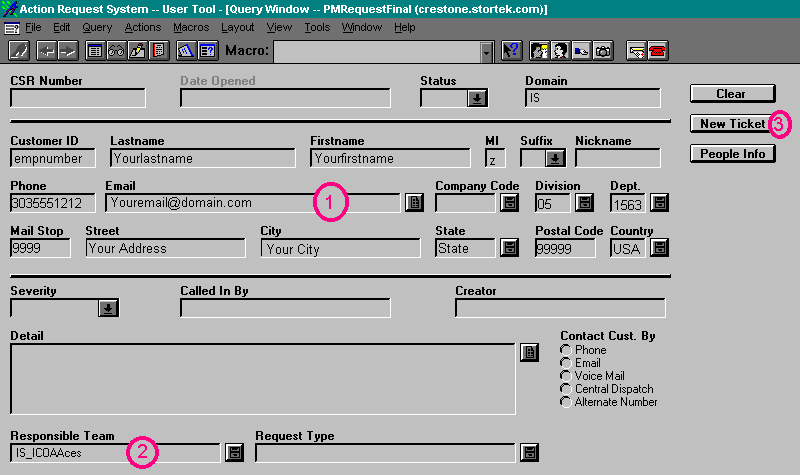
| When you type in your last name under the
last name field, the top portion of the ticket should populate with your
information. Take note that the Customer ID field will be a numerical entry
that is specific to you and you alone. This can be helpful in queries or
for tracking purposes. The information that is provided when your last name
or Customer ID is input is your company information. MI is your middle initial,
Suffix is "Sr/Jr" et cetera, and can be toggled if you choose
by hitting the black arrow next to it. Your phone number is your work phone
number, making it easy to contact you if there are questions about the Remedy
Ticket that you created, and the Email is your work Email address. Address
information and department information are also automatically populated
with the information from the database. |
Next
Back
Click
to return to the Main Menu.
|
 |
Jump Right to the Login Screen
Jump Right to the Create New Ticket Screen
Jump Right to the Button Descriptions
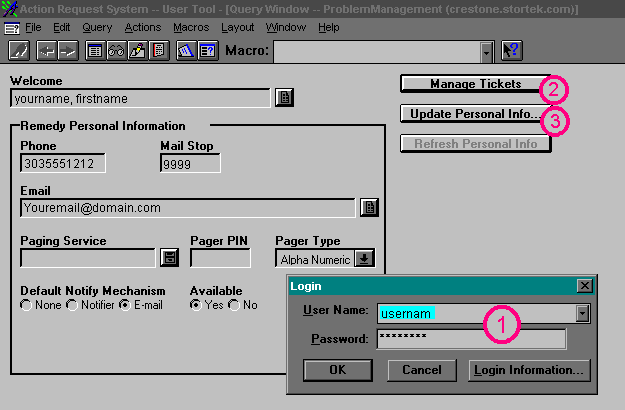
When you first log in, the screen will look similar to this:
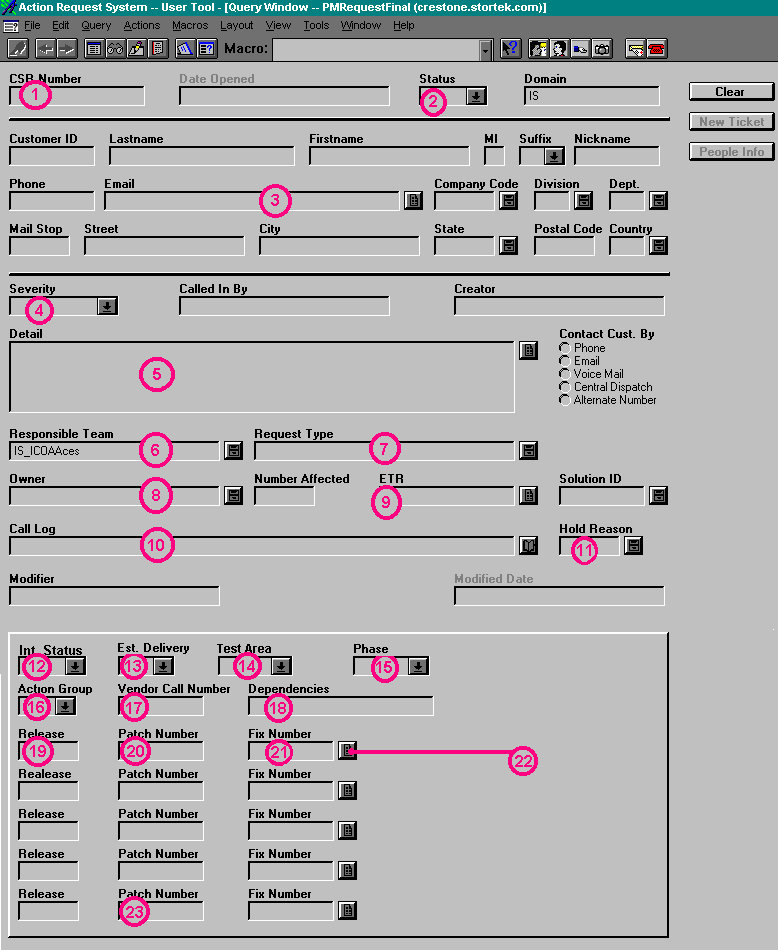
For the Screens Below, click on the buttons or areas to get a
detailed description in the left side of the screen.
 Jump back to the top
 Jump back to the top
 Jump back to the top
 |