Hitting this toggle button opens a field wherin information
can be typed similar to the call log. Two pieces of information should be
input here for each patch or fix for the defect. 1) The programmer should
rocord the modules touched by the fix and how it was fixed.
2) The Analyst who retests the defect should record what they
tested and how they tested it (scenario information) for the user and for
other Analysts (this will help with User Acceptance Testing). |
Next
Back
Click
to return to the Main Menu.
|
 |
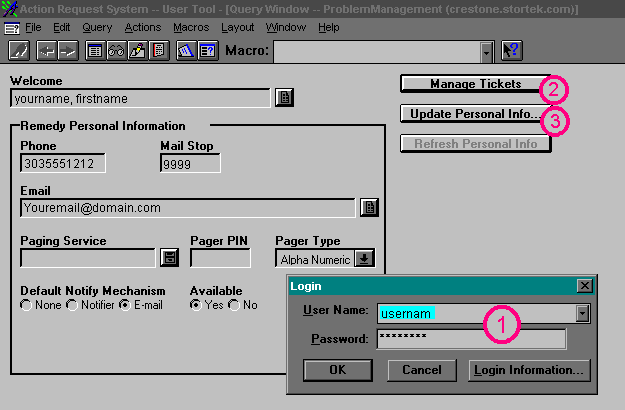
Jump Right to the Login Screen
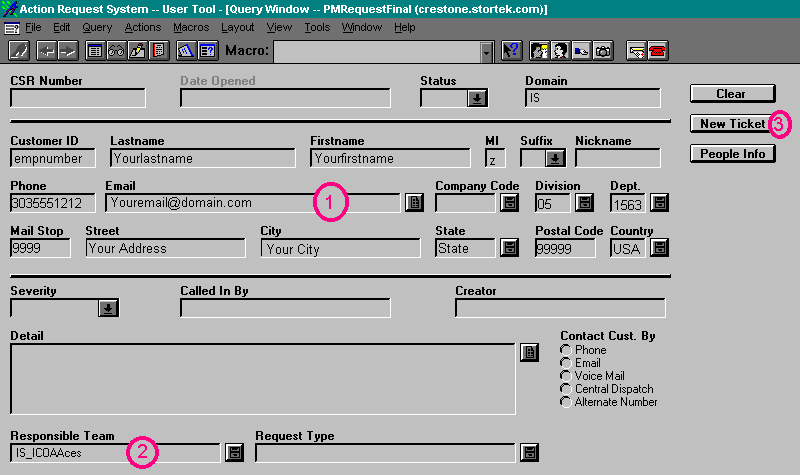
Jump Right to the Create New Ticket Screen
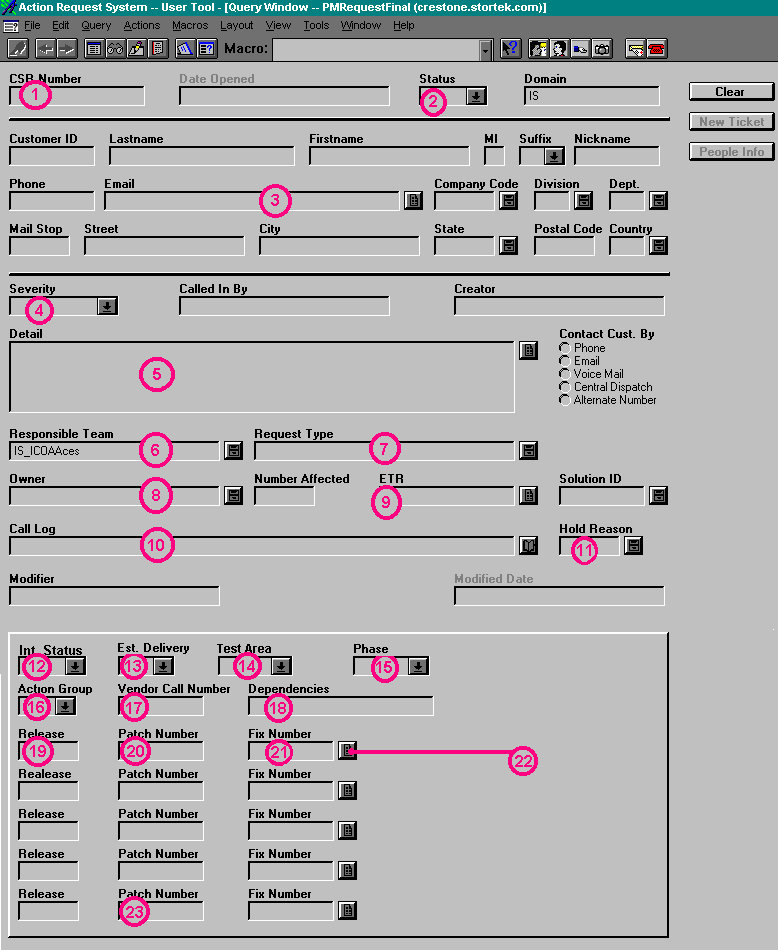
Jump Right to the Button Descriptions
When you first log in, the screen will look similar to this:
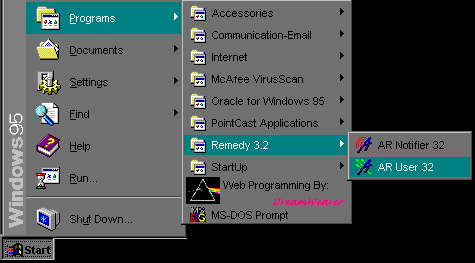
For the Screens Below, click on the buttons or areas to get a
detailed description in the left side of the screen.
 Jump back to the top
 Jump back to the top
 Jump back to the top
 |