This area is for a brief summary of the situation. It is created
at the time the original call is logged, and it should be a synopsis of
the issue for quick reference. The summary can be changed once the data
is first input by the Creator. Changes could be quick updates that reflect
the current status, or information needed. No original information should
EVER be deleted or changed. Note that this field used to be called the Comments
Field.
Note: The first line of this field must always be the path
used when the defect was discovered, and the second line will always be
the test environment (shannon, liffey, ascella, et cetera) where the defect
was found. |
Next
Back
Click
to return to the Main Menu.
|
 |
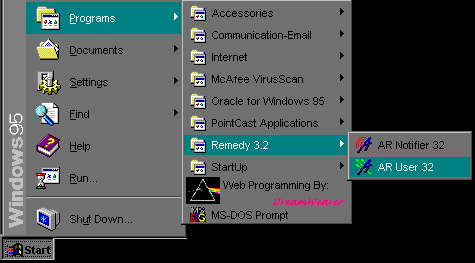
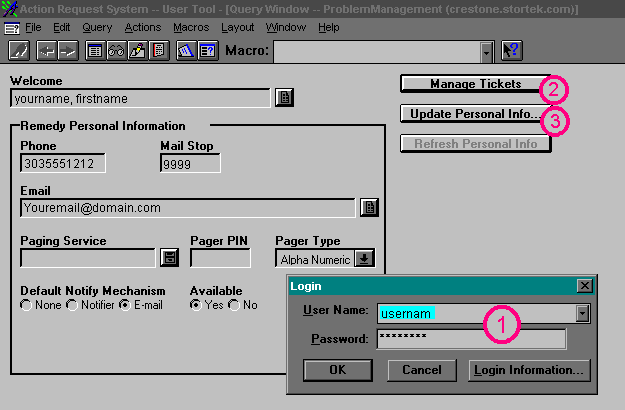
Jump Right to the Login Screen
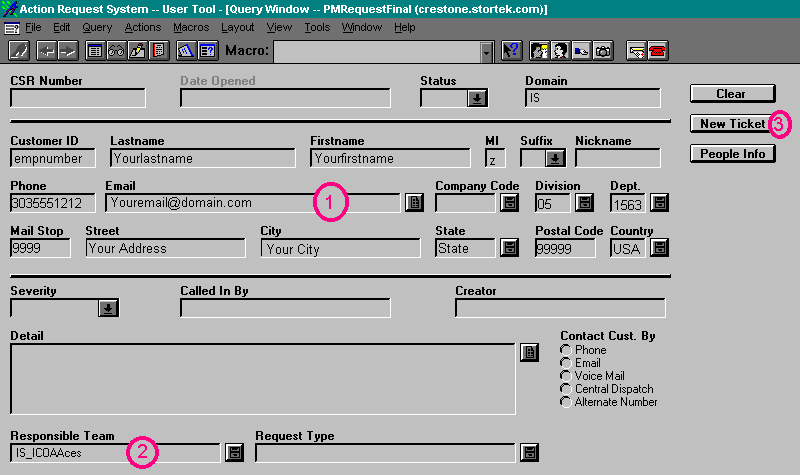
Jump Right to the Create New Ticket Screen
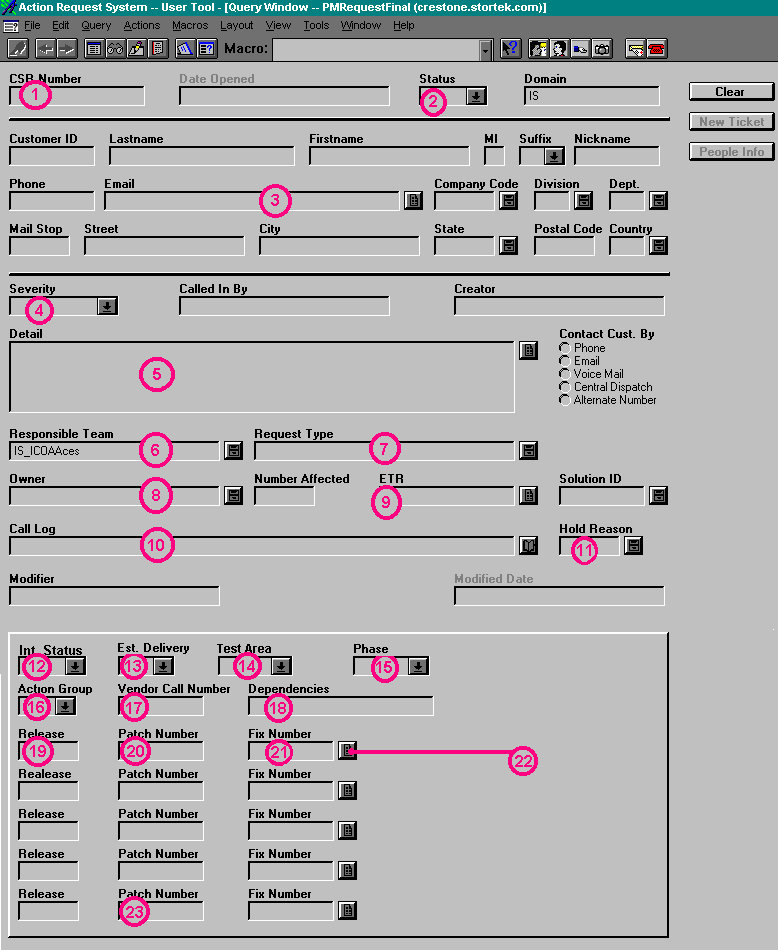
Jump Right to the Button Descriptions
When you first log in, the screen will look similar to this:
For the Screens Below, click on the buttons or areas to get a
detailed description in the left side of the screen.
 Jump back to the top
 Jump back to the top
 Jump back to the top
 |