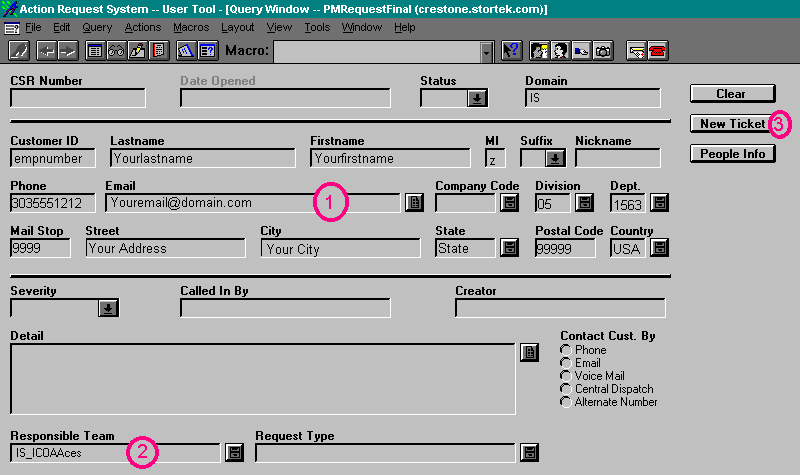
| Once your name/information has been populated
in the database, the "New Ticket" button becomes active. Hitting
this button will allow you to log a new Remedy Ticket. This will be used
any time you are reporting a new issue to be tracked, such as a defect found
within the application. People Info will only display your database information
such as work number, department and division, et cetera. The new ticket
will come pre-populated with all of your information, and you will fill
out the appropriate fields per the process document. Go to the step by
step instructions. |
Next
Back
Click
to return to the Main Menu.
|
 |
Jump Right to the Login Screen
Jump Right to the Create New Ticket Screen
Jump Right to the Button Descriptions
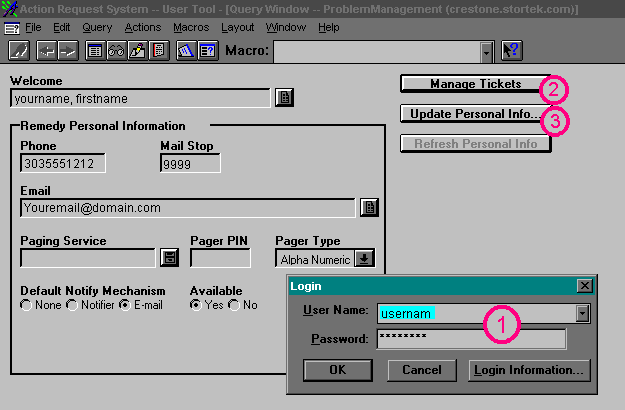
When you first log in, the screen will look similar to this:
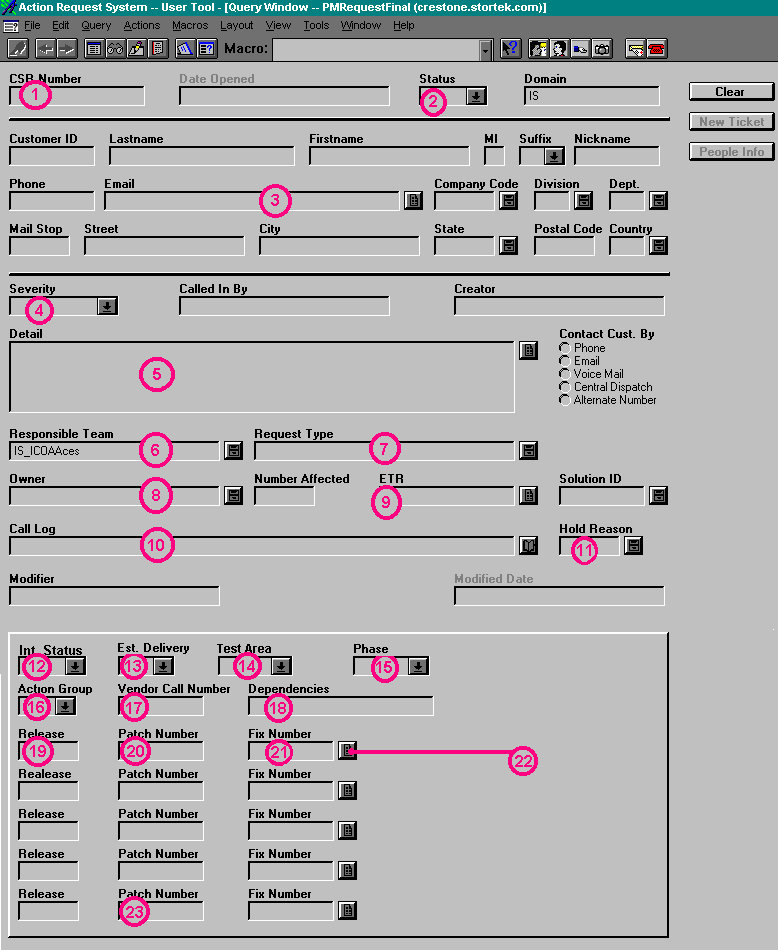
For the Screens Below, click on the buttons or areas to get a
detailed description in the left side of the screen.
 Jump back to the top
 Jump back to the top
 Jump back to the top
 |